
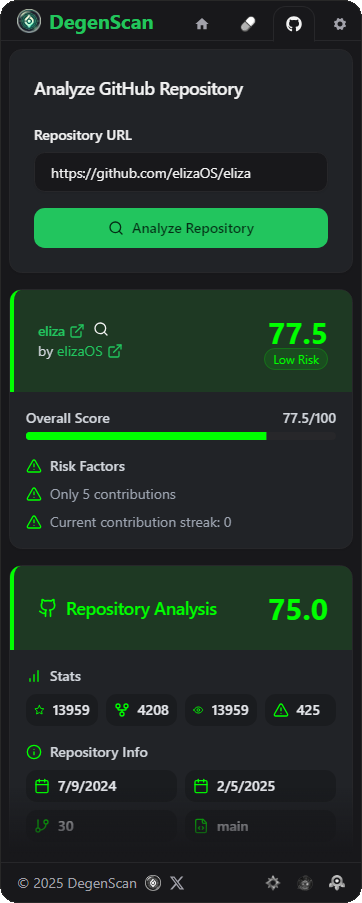
Our analysis focuses on public repositories and their development patterns. Private repositories may not be fully accessible for scanning.
How It Works
Scoring System
Our multi-faceted scoring system evaluates repositories across key dimensions:Repository Score
Overall codebase health and maintenance
Developer Score
Team activity and contribution patterns
Scores range from 0-100, with higher scores indicating better repository health and lower risk. Scores above 75 generally indicate well-maintained projects.
Repository Analysis
Key Metrics
Repository Stats
Track stars, forks, and active issues to gauge project popularity and maintenance
Code Analysis
Review language distribution and codebase composition
Activity Tracking
Commit Frequency
Monitor development pace and consistency
Branch Activity
Track active branches and merge patterns
Regular commits and active branch management often indicate ongoing project development and maintenance.
Team Metrics
Contributor History
Track the number and activity of project contributors
Contribution Patterns
Analyze the frequency and distribution of contributions
Risk Factors
Our scanner automatically identifies potential red flags:Low Activity
Repositories with minimal recent commits or long periods of inactivity
Contribution Issues
Projects with limited contributors or suspicious contribution patterns
While some risk factors may have legitimate explanations, multiple red flags warrant careful investigation.
Best Practices
To make the most of the GitHub Scanner:Analysis Tips
- Check commit frequency
- Review contributor profiles
- Monitor issue resolution
- Examine code quality
Risk Assessment
- Evaluate team size
- Track activity patterns
- Check documentation
- Review dependencies